
Please Note:
- Please make sure the app is updated to version 13.1. You may need to delete the app prior if you were using the older MyDoorView app.
- Please have users log out and then log in again to refresh their token. It shouldn't clear devices again, but if it does, they can click the refresh button or change tabs and it will update the door/gate assignments list.
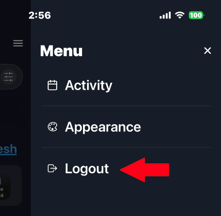
The Logout page is accessed at the top right of the app (three lines):
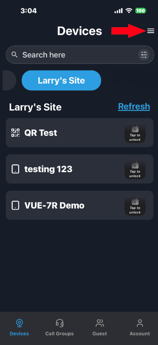 .
. 
-
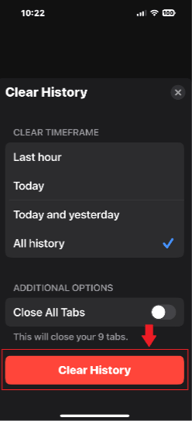
In some cases when calls can't be received, it can help to clear the device browser
history. Please see the pictures below for the iOS Safari procedure.
The latest version of the MyDoorView Mobile App is v13.1. Users who already have the app
installed simply need to update the existing application; they do not need to download a
new one. However, in some cases, deleting and re-adding the app can solve an app issue.
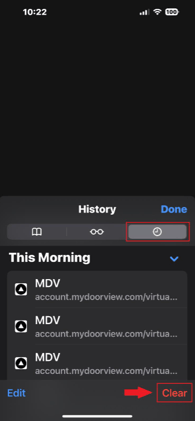 .
. 
As part of this rollout, we encourage all dealers, property managers, and end-users to
ensure they have the latest version using the links below:
Apple App Store:
https://apps.apple.com/us/app/mydoorview/id927403193
Google Play Store:
https://play.google.com/store/apps/details?id=com.app.mydoorview&hl=en